
# Settings
The DMS Configuration settings define the behavior of the DMSforLegal client applications and apps. Settings are saved in the list DMS Configuration, next to the Clients and Matters lists in the DMSforLegal site collection. Each set of settings is saved in a subfolder, so teams or departments can use different settings in the same DMSforLegal environment. The default settings are saved in the subfolder Default. Settings are read when the DMSforLegal application or app starts.
In DMS Configuration Center, settings can be defined, changed and saved. When the settings are saved, the application saves each setting as an item in the selected subfolder and uploads the settings to the property bag of the DMS Configuration list. This property bag can only be addressed by site collection, SharePoint or global administrators.
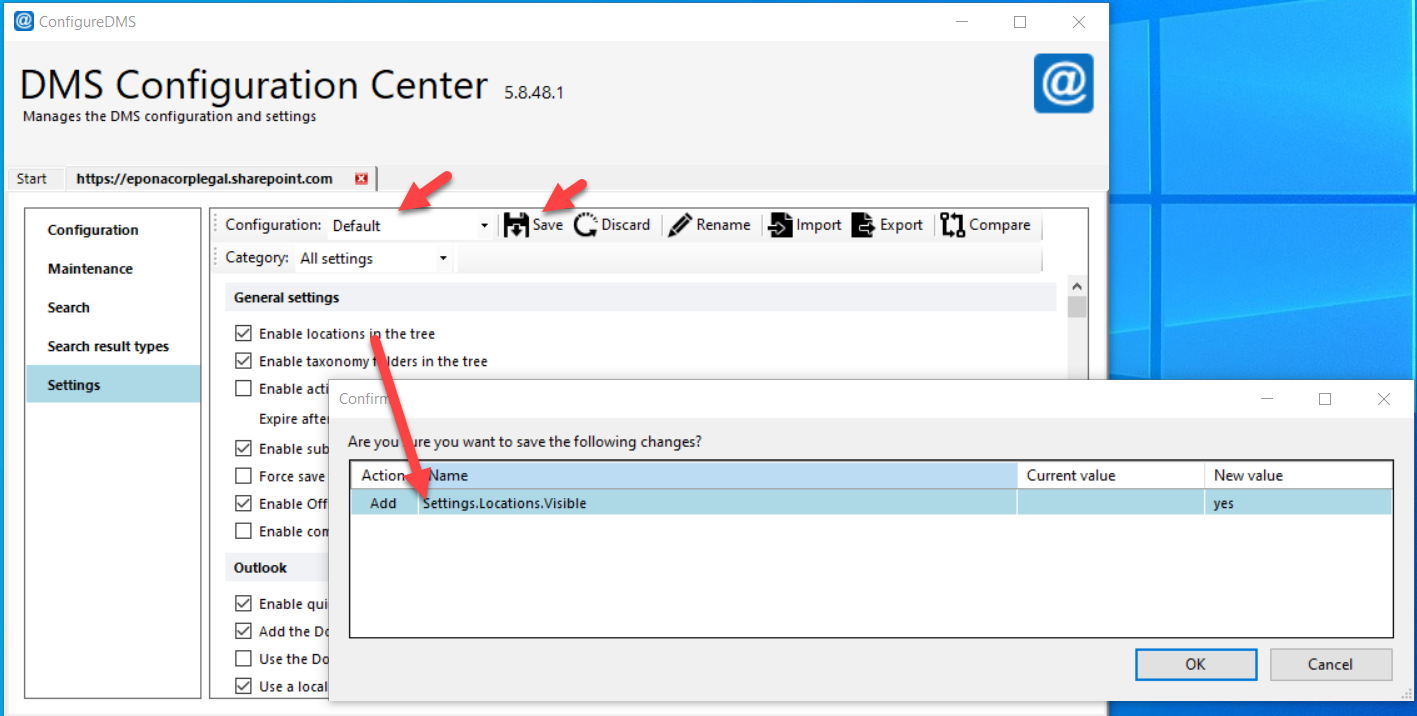
When you click Save, the application asks you to confirm the changes. To drop a change, click Cancel and change the setting back. Saving happens in two phases: first the settings are saved as items in the selected configuration's subfolder (for example Default), then the property bag of the DMS Configuration list is updated with the new settings. The Epona365 app and the DMSforLegal365 apps read the settings from the property bag.
When the user does not have sufficient permissions to update the property bag of the DMS Configuration list, a warning is displayed.
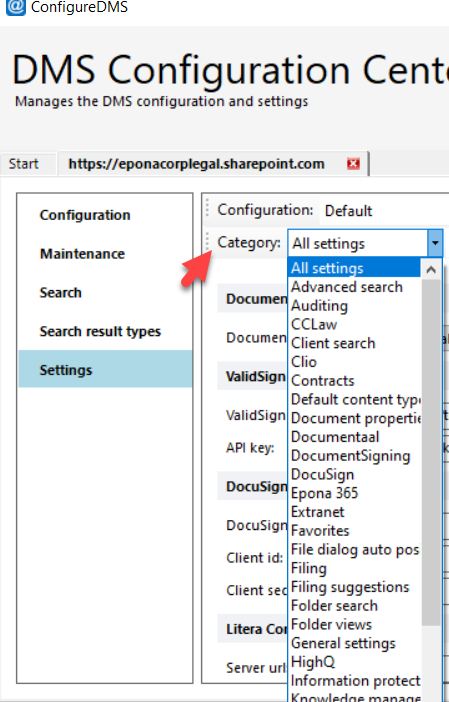
# Categories
Each category has its own page. Every setting on a page has its own heading with the exact label from the application, so you can search for a label or share a link to it. The screenshots show the values that Add all sets on SharePoint Online, so a value in a screenshot can differ from the Default listed on the page. Where a page lists what Add all adds, it lists the SharePoint Online set. SharePoint Server, Matter Center and Project Center configurations can differ.
# General
# Filing and documents
- Filing
- Favorites
- Synchronize folders
- Upload queue
- Document properties
- Default content types
- File dialog auto positioning
- Permissions
- Secondary locations
- Extranet
- Scan cover page
- Information protection
# Search and navigation
- Recent documents
- My Matters
- Matters grouping
- Folder views
- Client search
- Matter search
- Folder search
- Advanced search
# Microsoft 365 and Epona365
# MatterCenter and KMS
- MatterCenter
- MatterCenter SPFX
- Microsoft MC
- Documentaal
- Contracts
- Knowledge management system (KMS)
- HighQ