
# Maintenance
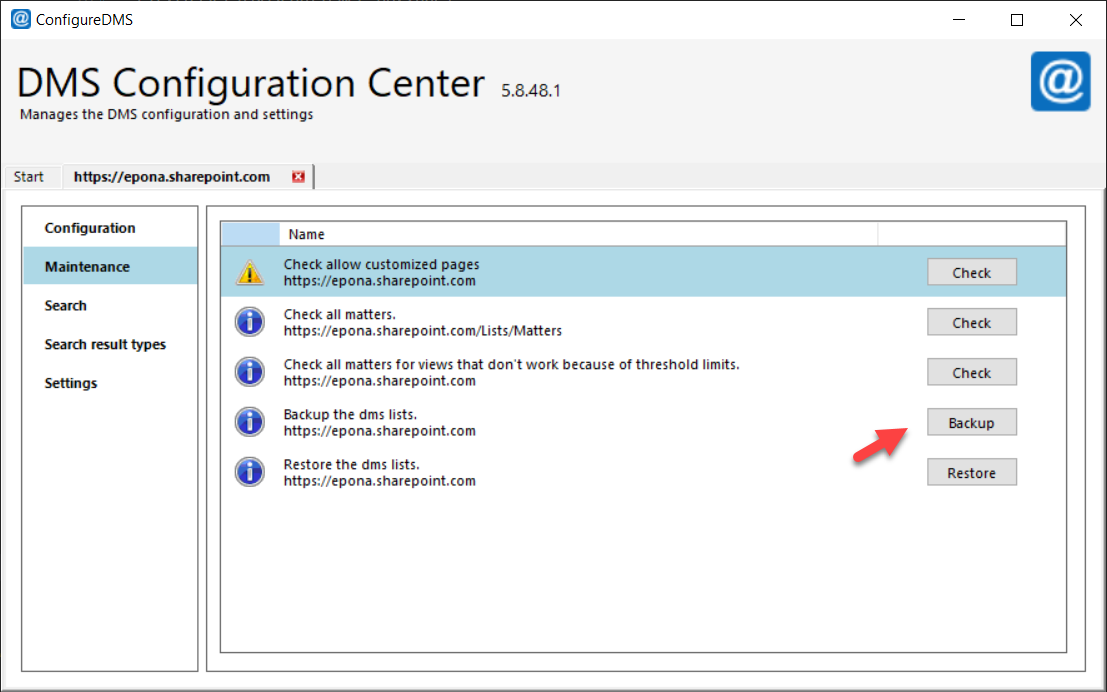
The Maintenance tab runs maintenance tasks on the DMSforLegal site collection, such as checks on the Matters list and a backup of the DMSforLegal lists. Each task shows as a row with an action button (Check, Backup, Restore or Clear). Tasks only run when you click the button.
The tasks show in this order. Some tasks only show under certain conditions, as described per task.
# Check allow customized pages
Checks if the site collection where Matter Center or Epona365 web components are deployed allows custom scripts. Custom scripts must be allowed to run Epona components. See Allow or prevent custom script (opens new window).
- If customized pages are allowed, the row shows Customized pages are allowed and no action.
- If not, the row shows Check allow customized pages with a Check button. Click Check to read the site setting through the SharePoint admin center. If custom scripts are denied, the application asks: "Customized pages are not allowed on the DMS site collection. Do you want to allow it?" Click Yes to allow them.
This check connects to the SharePoint admin center, so it needs a SharePoint Administrator or Global Administrator account.

# Check all matters
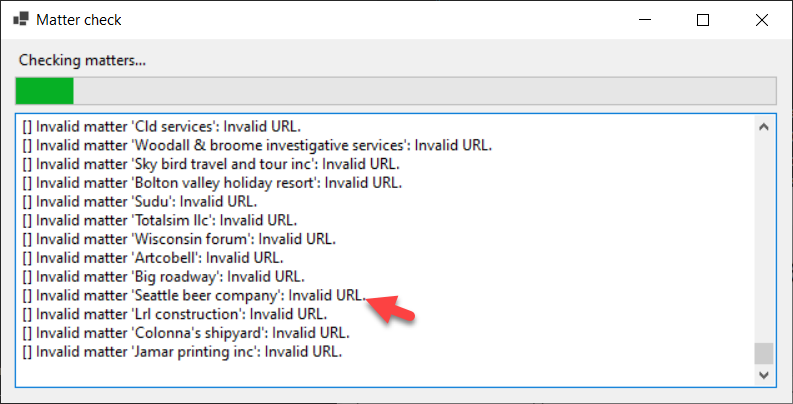
Checks if all matters in the Matters list have valid destination URLs. A matter with an invalid site URL cannot be used in DMSforLegal. The check reports, per matter, for example:
- an invalid URL or SiteURL;
- a URL that does not start with the SiteURL;
- a URL that does not exist in SharePoint;
- no access (Unauthorized).
This is a check only. It makes no changes to the environment.
# Check search anomaly for item counts
Compares, per matter, the number of documents in the matter library counted by a CAML query with the number returned by SharePoint search. A difference means the search index of that matter is incomplete.
For each matter with a difference, the application asks: "Do you want to activate a reindex task on this matter?"
- Yes marks the matter library for reindexing by SharePoint search.
- No skips this matter.
- Cancel stops the check.
Matters with more than 2000 items are skipped. A progress window logs the result per matter. Checking many matters can cause SharePoint to respond with '429 Too many requests'. The check then pauses for a few minutes.
# Check all matters for views that don't work because of threshold limits
Reads the Matters list and checks, per matter, if all views of the matter libraries return items without list view threshold errors.
This task only shows when you connect with modern, app-only or certificate authentication.
# Backup the dms lists
Before you change the DMSforLegal lists, create a backup. Backup saves the selected lists to a JSON file on your file system.
# Backup lists
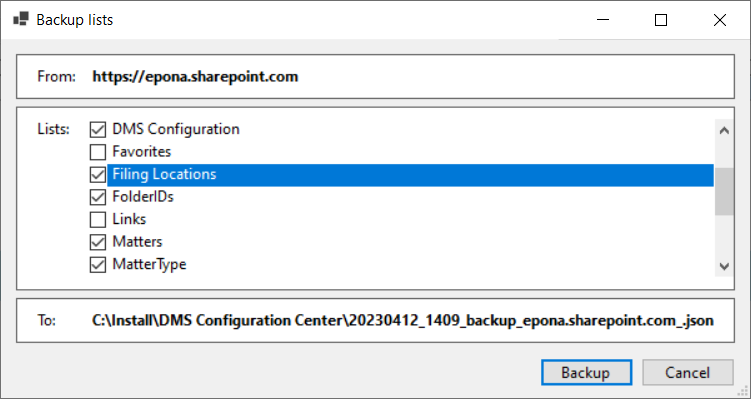
When the backup dialog opens, these lists are selected by default: Clients, Matters, My Matters, DMS Configuration, User Settings and Recent Documents.
Depending on the DMS Configuration settings, the environment can have more relevant lists, such as Filing Locations, FolderIDs, MatterType or other small lookup lists that support matter creation. Make sure all relevant DMSforLegal lists are selected.
When you select a list, the lists it depends on (for example through lookup columns) are selected too. When you clear a list, the lists that depend on it are cleared too.
The default backup file is saved in the folder of ConfigureDMS.exe, with the name <yyyyMMdd_HHmm>_backup_<site url>.json.
# Restore the dms lists
Restore reads a backup JSON file and restores the lists, for example into a new site collection.
# Clear large list
The row shows as Clear large list <list title>. with a Clear button, one row per list with more than 100,000 items.
Clear deletes all items (not folders) from the list, in batches of 100. A progress window shows the progress. Closing the window stops the task.
WARNING
This task is destructive and cannot be undone. It is only available in developer (debug) builds of DMS Configuration Center. Release builds do not show it.
← Configuration Search →