# File dialog auto positioning
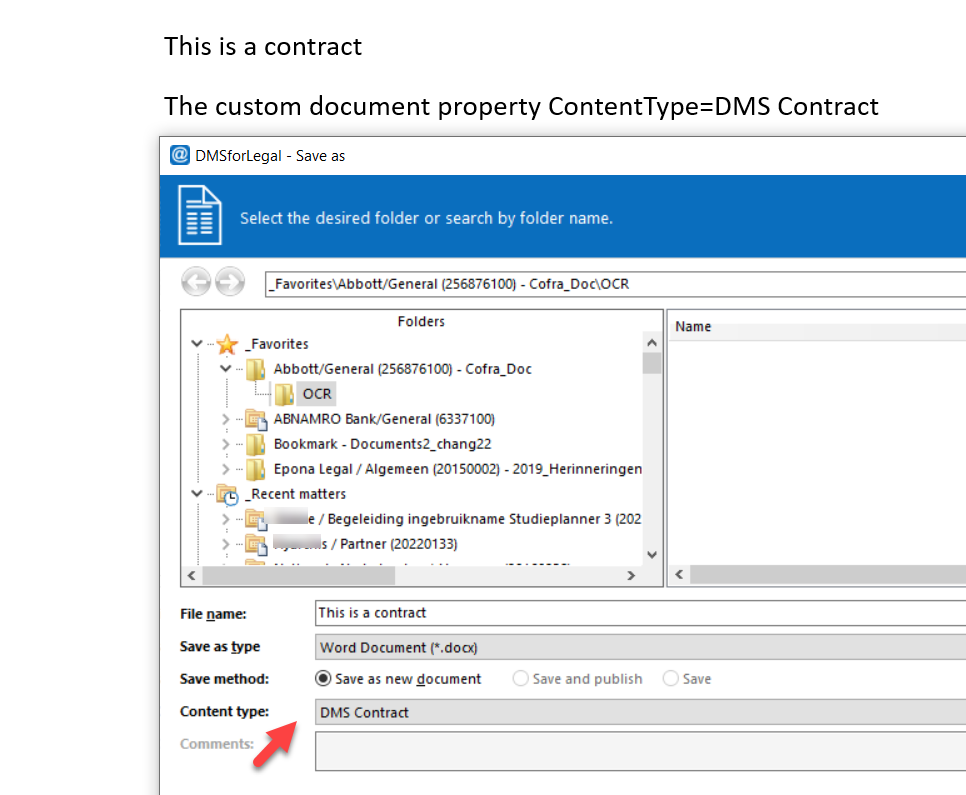
Positions the DMSforLegal Save As dialog in a subfolder based on the content type of the Office document. Office template solutions can set the content type in the document properties before the user saves the document.

# Content types
Maps a content type to a folder name.
| Property | Description |
|---|---|
| Content type | The name of the content type in the SharePoint destination, for example DMS Contract. |
| Folder name | The subfolder the Save As dialog positions to, for example Contract. |
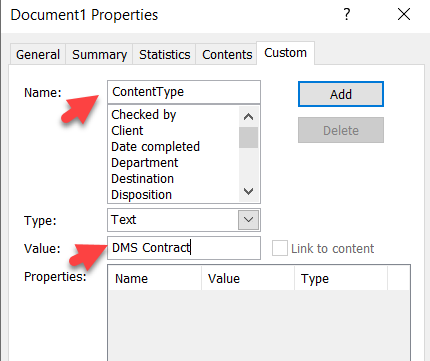
How it works: the Office document has a custom document property named ContentType, with a value that matches the name of a content type in the SharePoint destination.
When the user saves the document from the Office application, the Save As dialog positions to the subfolder linked to that content type, and the content type is preselected.