
# Configuration
The Configuration tab adds and updates the DMSforLegal lists and other components, such as Matter Center, KMSforLegal and Contract Management, in the first site collection of DMSforLegal. The DMSforLegal client applications connect to the lists in this site collection to find the DMS Configuration settings and other important lists, such as Clients, Matters and My Matters.
When the tab opens, the application validates the site collection. Each result shows as a row with a status icon, a name, the URL it applies to and, when a change is possible, an action button (for example Add, Fix or Update). Click the button to apply that single action. The tab validates again after each action.
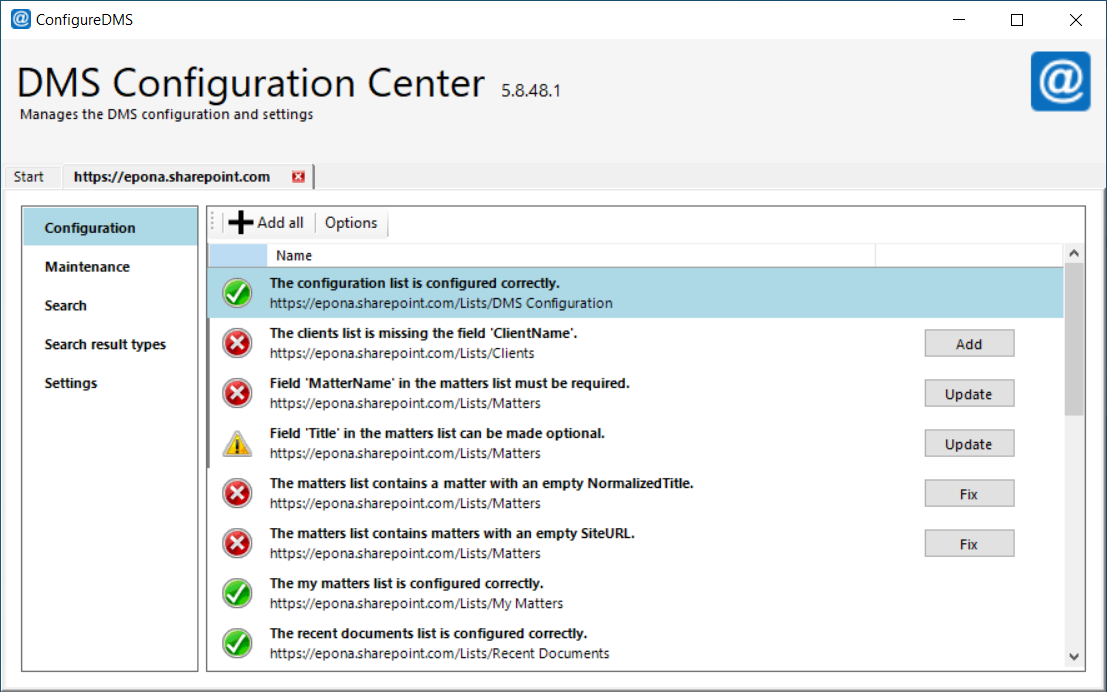
If the connected site is detected as a Microsoft Matter Center or Microsoft CELA environment, the tab shows the Matter Center-specific validation tasks instead of the standard DMSforLegal tasks. Detection only runs on SharePoint Online when the application is started with --enableMatterCenterDetection (see Command line).
The same validation and actions are available from the command line. See Command line.
# Add all
Add all executes all 'add'-tasks: every pending action of the tasks that support it, in one run. Fix actions are never included. Apply these one by one. On the command line, apply --all does include Fix actions (see Command line).
# Options
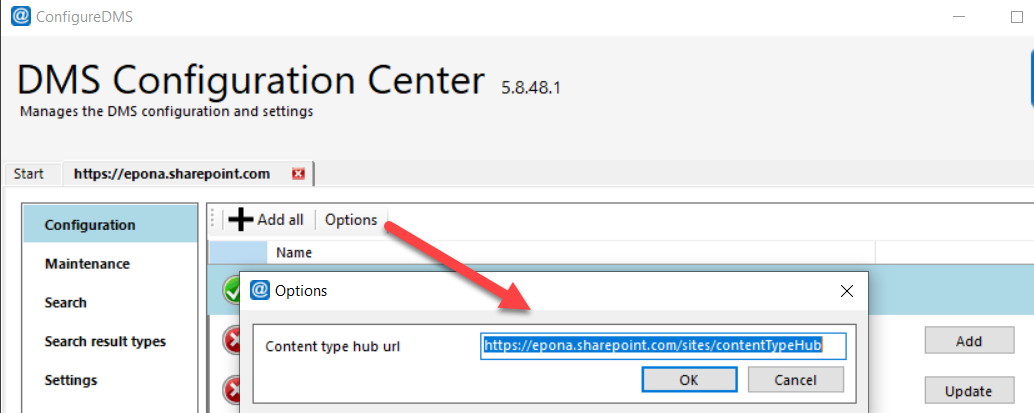
Click Options to set the Content type site url. This is the site collection where DMSforLegal site columns and content types are validated and deployed.
By default, this is the DMSforLegal site collection you are connected to. The content type hub is no longer used by default, because the root site collection is often not accessible to site collection administrators. Change the URL only when the site columns and content types must live in a different site collection.
On the command line, use --contentTypeSiteUrl for the same purpose.