
# Recent documents
Configures the Recent documents folder in DMSforLegal. Recent documents can come from the Recent Documents list, from SharePoint search, or from both (Hybrid). Search indexing can take up to an hour, so the Hybrid mode merges very recent document changes with search-based results.
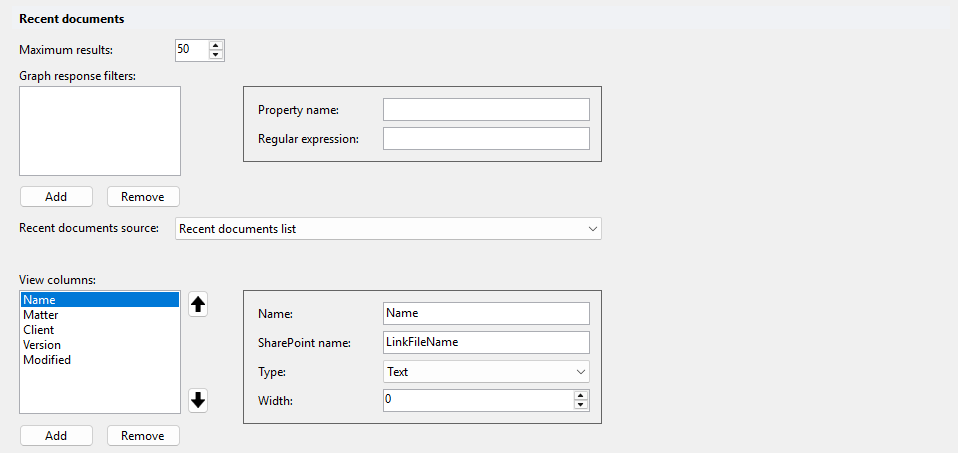
# Maximum results
Maximum number of recent documents returned. Default: 50.
# Graph response filters
Extra filters applied to Microsoft Graph responses (GET /recent), for example to keep only documents from one site collection. Each filter has these properties:
| Property | Description |
|---|---|
| Property name | Property of the Graph response item to test, for example remoteItem.webDavUrl. |
| Regular expression | Regular expression the property value must match, for example ^https://<domain>/sites/<sitecollectionname>. |
Example of a filter on the URL:

# Recent documents source
Where recent documents come from. Default: Recent documents list.
- Recent documents list: the Recent Documents list in the DMSforLegal site collection.
- SharePoint search: SharePoint search.
- Hybrid: both sources merged, so documents not yet indexed by search still show.
The source determines which other settings are visible: Query text addendum and the Managed property column property only show for SharePoint search and Hybrid; the SharePoint name column property only shows for Recent documents list and Hybrid.
# Query text addendum
Extra search filters added to the search query. Only visible when the source is SharePoint search or Hybrid.
With SharePoint search, results can include OneNote files and files from personal OneDrive locations (see the Path column below).
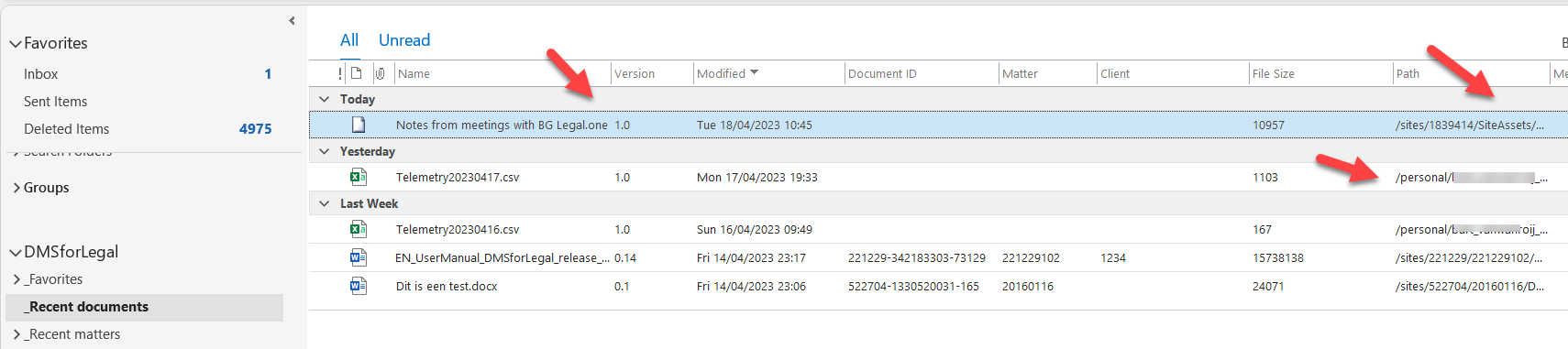
For example, the addendum AND - FileExtension:one excludes OneNote files:
# View columns
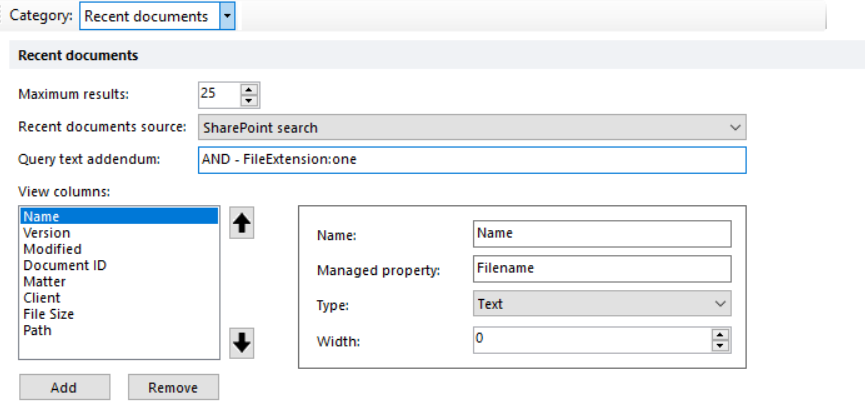
Columns shown in the Recent documents folder. Use the arrow buttons to change the column order. The default configuration adds Name, Matter, Client, Version and Modified.
| Property | Description |
|---|---|
| Name | Column header. |
| SharePoint name | Field in the Recent Documents list, for example LinkFileName. Visible for Recent documents list and Hybrid. |
| Managed property | SharePoint search managed property, for example Filename. Visible for SharePoint search and Hybrid. |
| Type | Field type, for example Text, DateTime or User. |
| Width | Column width. |