
# Outlook Web Access (OWA)
Epona365WEB can communicate with Outlook WEB to execute certain actions. The following actions are supported.
- Open
- Reply
- Reply All
- Forward
- Send as Attachment
- Send as Link
These actions are available on documents in the right-click context menu, under an Email (Web) submenu. There is also a separate Email (Classic) submenu that routes the same actions through the classic (desktop) Outlook client instead — see Email (Classic) below. Each is switched on independently in User Settings.
To configure the Outlook Web Access integration follow the steps below. To activate the OWA integration in Epona365 Web 25.9.2+, ensure the setting is switched on in User Settings.
# Requirements
- Microsoft Office License
- Epona365 Web 25.9.2
- Epona365 Office 25.1.123 — the Epona365 API (backend) must be deployed and its URL set as
api.urlin the DMS Configuration Center. The Epona365 Office add-in itself does not need to be installed - Permissions: Microsoft Graph Mail.ReadWrite (Delegated), and
access_as_useron the Epona365 API — see Permissions Reference
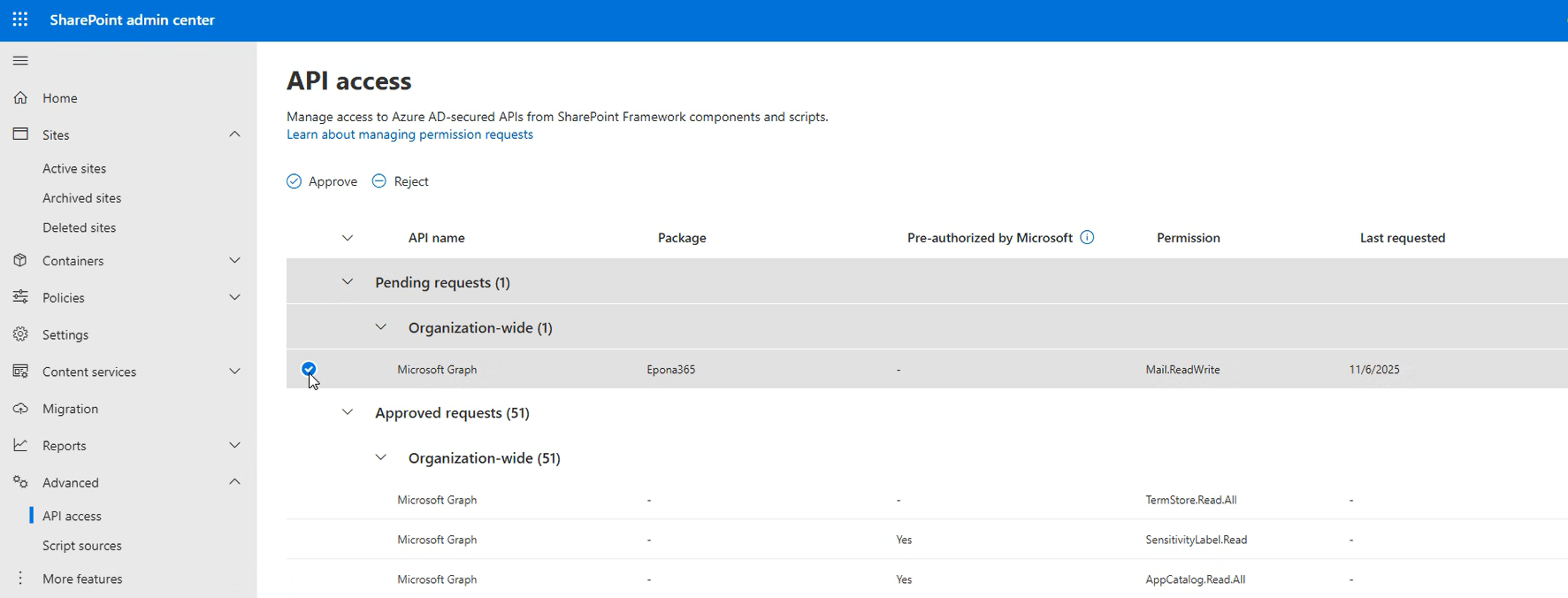
After updating Epona365 WEB, the permission request is visible in the API Access portal. https://{yourtenantname}-admin.sharepoint.com/_layouts/15/online/AdminHome.aspx#/webApiPermissionManagement (opens new window)
# Configuration by the administrator
- Update the Epona365 Web application to a minimum version 25.9.2 or higher
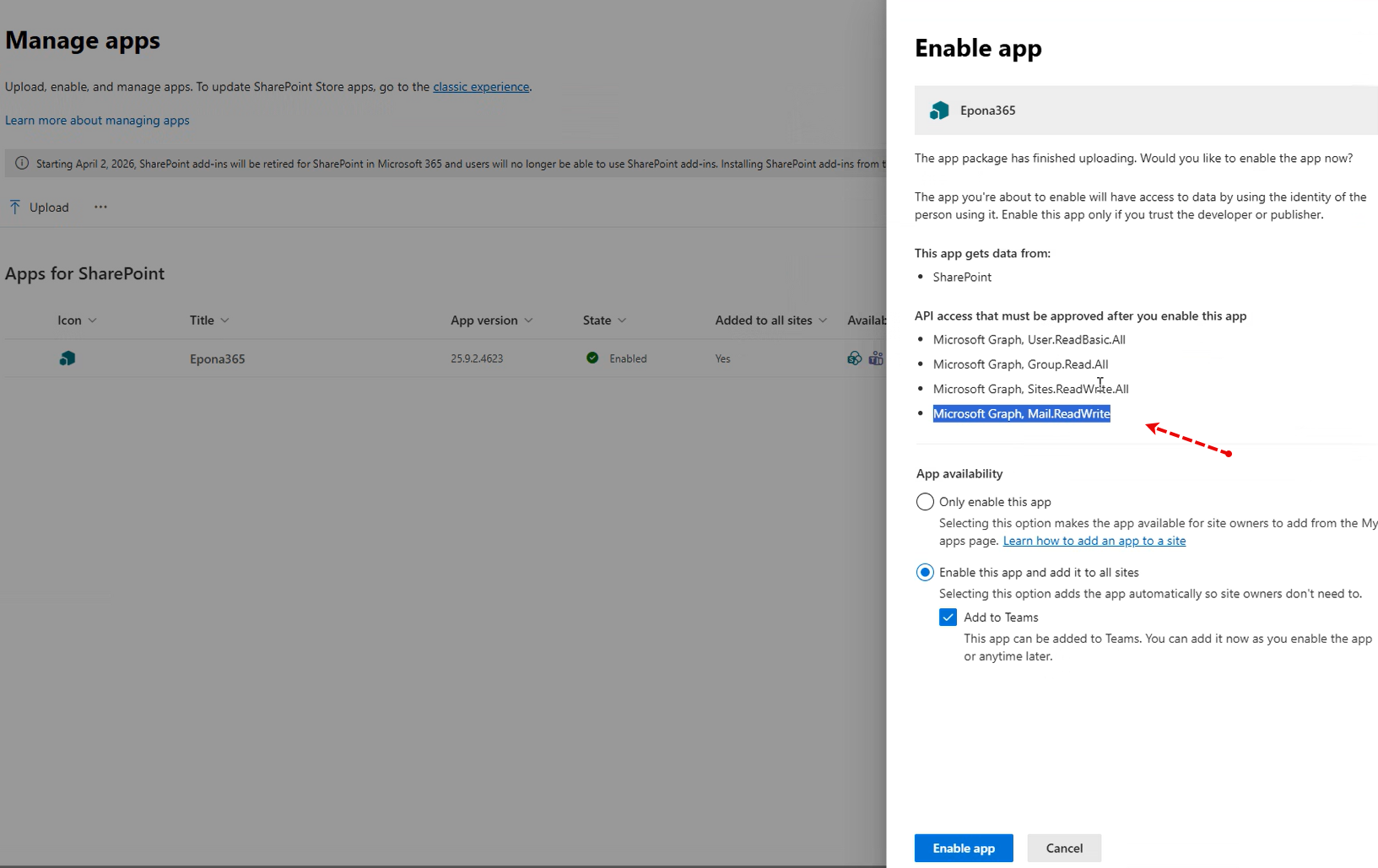
- After replacing the SPPKG file, an additional permission Microsoft Graph, Mail.ReadWrite is added
Remark: if the Epona365 Web APP is published as a SharePoint APP in a local Site Collection, the questions below will not surface. Visit the API Access Portal and Enable the new permission
- Click Enable app to add the changed app to the SharePoint tenant
- Select and then Approve the API access request
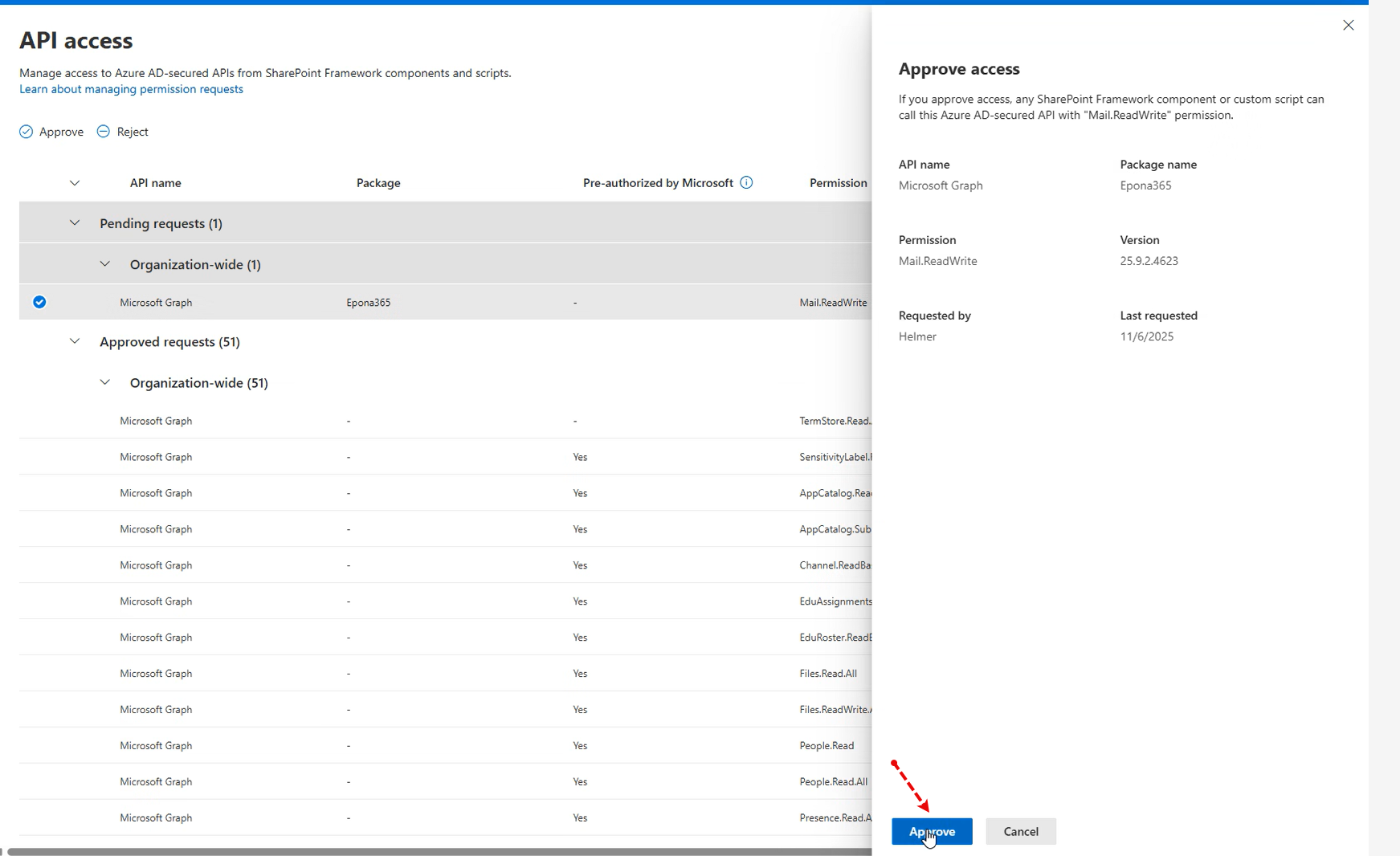
- Click Approve
- Ensure that the Epona365 Office version used is Channel 25.1.125 or higher

Remark: customers on the dynamic Epona365 Office Channel 25.1 will automatically receive updates, at this moment (6 Nov 2025) the dynamic channel is still at 25.1.108
# Configuration by the user
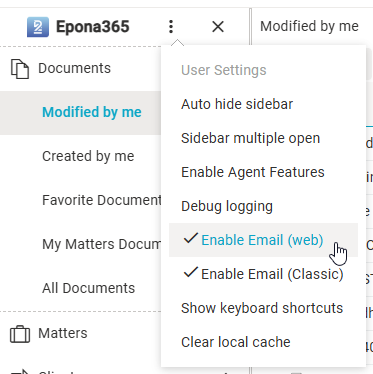
After the Epona365 WEB update, you can activate the feature via the user settings. Enable Email (Web) is on by default; it is only off when the user has switched it off.
# When is the Email (Web) submenu shown?
The submenu is shown only when all of the following are true, checked in this order:
- The Epona365 API is configured. If
api.urlis empty in the DMS Configuration Center, the whole Email (Web) submenu is hidden, whatever the user setting is. This applies to all actions, including Send as Attachment and Send as Link. - Enable Email (Web) is not switched off in User Settings.
- At least one action applies to the selection:
- Open / Reply / Reply All / Forward: exactly one email document (
.msg/.eml) is selected. These actions are not available from the version history menu. - Send as Attachment / Send as Link: one or more documents are selected. Send as Attachment is disabled when a file is larger than 3 MB or the files together are larger than 4 MB; use Send as Link instead.
- Open / Reply / Reply All / Forward: exactly one email document (
If the submenu is missing, check the api.url setting first.
# How Open, Reply, Reply All and Forward find the email
- Epona365 Web first looks for the original message in the user's own mailbox through Microsoft Graph, using the document's Internet message id column. If the message is found, that message is used.
- If it is not found (for example, the message was deleted or was filed from someone else's mailbox), the document is sent to the Epona365 API (
POST {api.url}/api/email/mailbox/import). The API imports it into the user's mailbox as a temporary message. - The temporary message is deleted again through the API: about 10 seconds after Open, and straight away after a Reply/Forward draft has been created.
Send as Attachment and Send as Link do not call the Epona365 API; they create a draft through Microsoft Graph. They still require the API to be configured, because of the menu check above.
# Email (Classic)
Email (Classic) offers the same actions (Open, Reply, Reply All, Forward, Send as Attachment, Send as Link) but routes them through the classic (desktop) Outlook client rather than Outlook Web. It has its own Enable Email (Classic) toggle in User Settings, independent of Email (Web) — enabling one does not enable the other, and both submenus can be active at the same time.